
Security MCP Server
Objectives
This repository is a simple MCP server's PoC to test and evaluate the Model Context Protocol (MCP) technology and integration. It facilitated the assessment of integrating security tools within an IDE environment and demonstrated the advantages of leveraging generative AI to support remediation workflows based on report findings.
What is MCP?
The Model Context Protocol (MCP) is a standard that streamlines interaction between AI models and various tools via a client-server architecture:
- MCP Clients (e.g., VSCode) connect to MCP Servers to request actions on behalf of the model.
- MCP Servers provide tools with defined functionalities using a clear and structured interface.
- MCP standardizes communication through message protocols for tool discovery, invocation, and response handling.
Example Use Case:
A file system MCP server might enable interaction with tools for reading, writing, or searching files and directories. Analogously, GitHub's MCP server can list repositories, create pull requests, or manage issues.
By standardizing model-tool interactions, MCP eliminates the need for custom integrations between each model and each tool. It also extends the capabilities of your AI assistant by allowing new MCP servers to integrate seamlessly into your workspace.
👉 For more details, explore the Model Context Protocol specification.
Features
- MCP Server performing security scans:
- Secret detection:
- nosey parker
- kingfisher (wip)
- gitleaks
- SCA:
- trivy (that one includes IaC)
- osv-scanner
- sca fixes
- SAST:
- opengrep
- DAST:
- nuclei
- zaproxy
- Secret detection:
- Remediation suggestions based on findings and leveraging genAI
- Guinea-pig project for testing
Examples
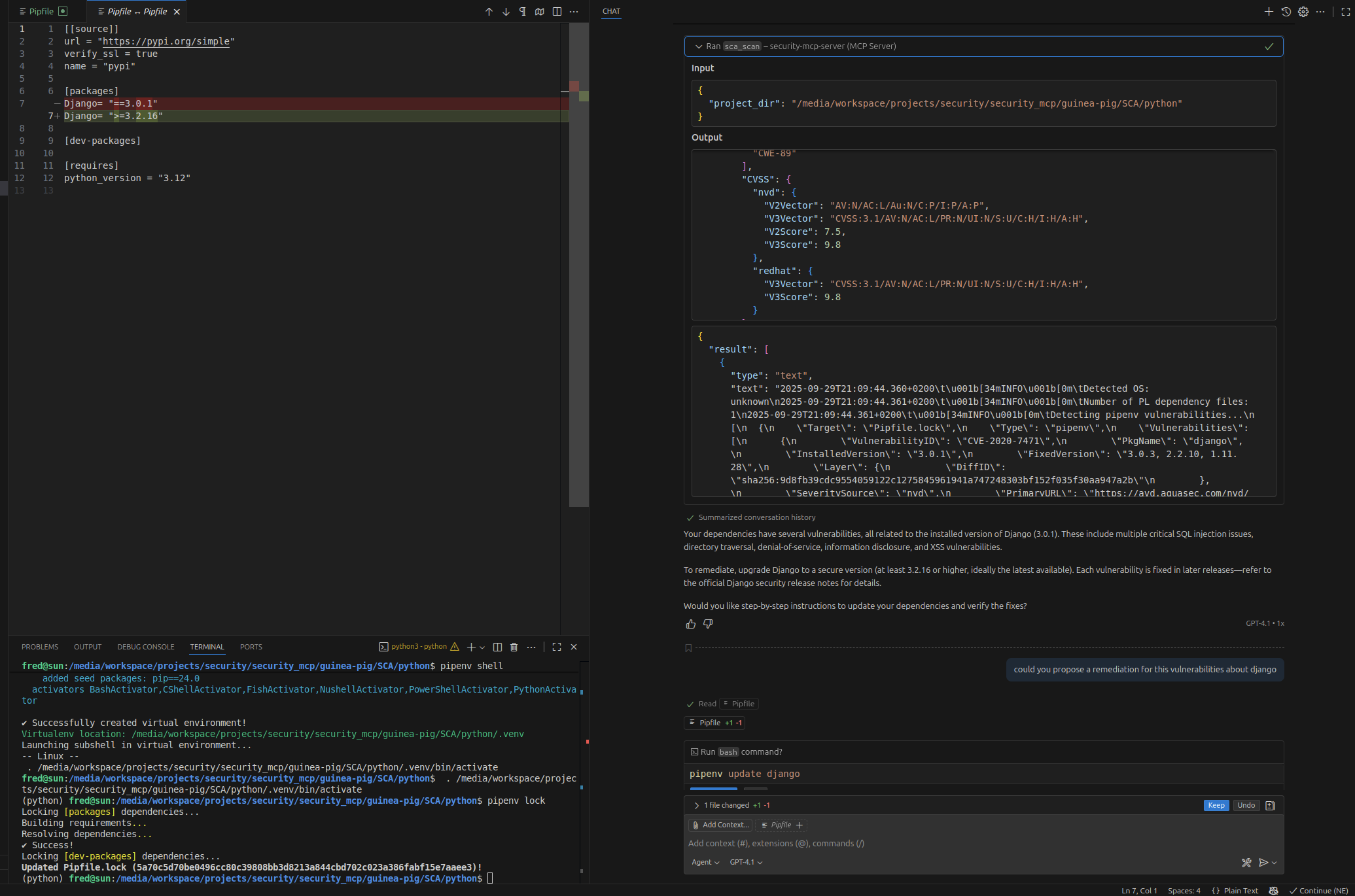
Patch proposual
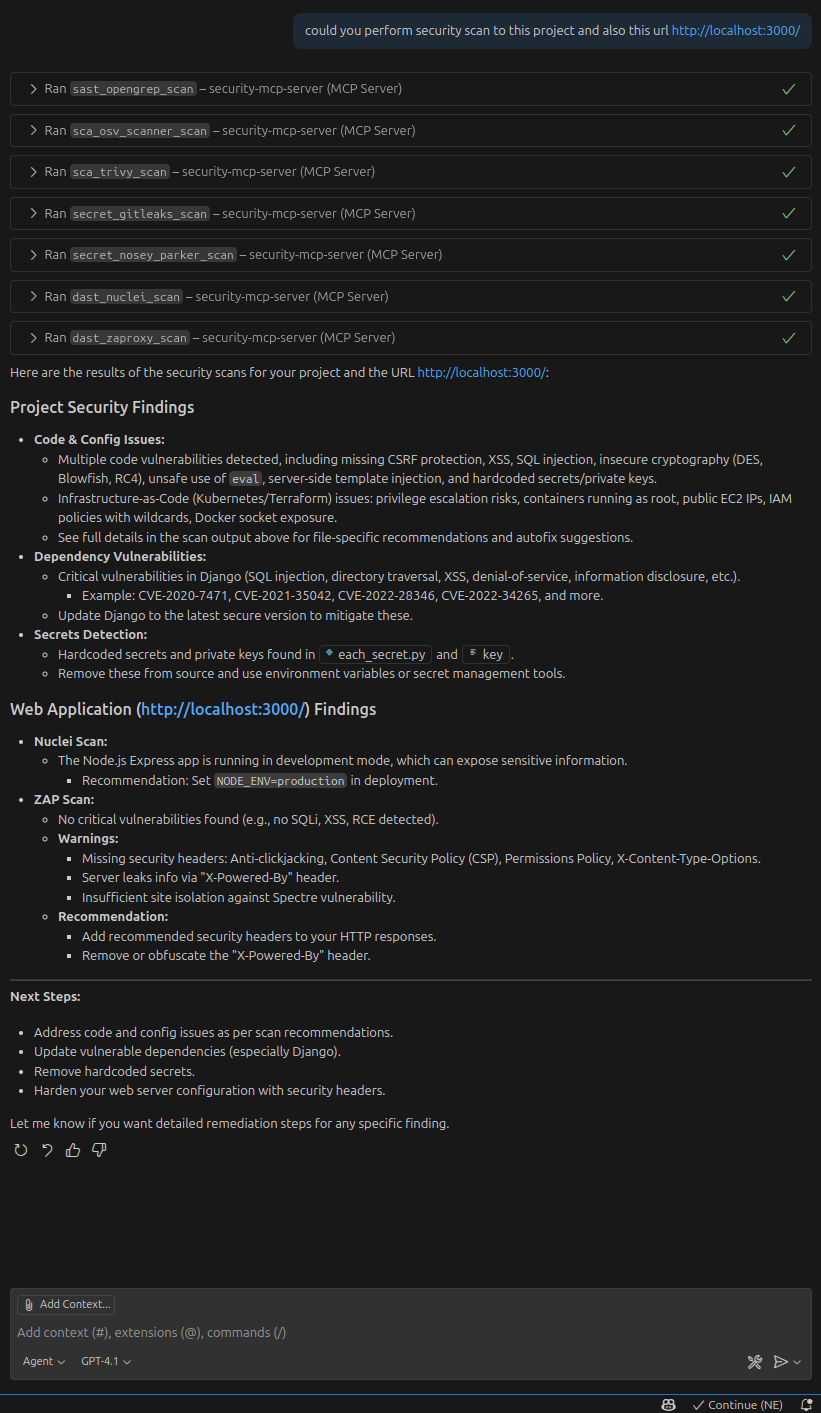
Full test report and recommendations
Security in MCP Server
MCP implementations focus on security to provide safe interactions between tools, clients, and servers. However, not all IDEs or MCP's server provide the same level of security.
To learn more about security considerations for MCP, refer to:
🔗 Security Tips for VSCode Extensions and Copilot
Installation
Prerequisites
You’ll need the following tools and packages:
- Python 3.12+
- UV package manager (already configured).
Steps
- Set up the environment:
mkdir .venv uv sync - Run the server:
uv run mcp_server.py # or source .venv/bin/activate python mcp_server.pyhttp://127.0.0.1:8000/mcp - Configure your MCP client:
Update the client settings to connect to the running MCP server.
Debugging the MCP Server with a Web Inspector
If you wish to debug or inspect your MCP server, you can use the MCP Inspector:
npx @modelcontextprotocol/inspector
This launches a GUI-based tool for debugging and inspecting the behavior of your MCP server.
Guinea-pig
This is a dedicated project to test the MCP server.
IDE Compatibility and Recommendations
Visual Studio Code
GitHub Copilot:
- Authenticate with GitHub Copilot.
- Open the guinea-pig project in VSCode.
- Enable the extension:
Navigate to Extensions → MCP Servers → Installed → Start Server.
Usability Note: Results are functional, but the user experience might need more refinement.
Local Ollama Integration:
To use Ollama with VSCode, install the Continue.dev plugin. Configuration is straightforward, but the experience might not be as seamless compared to Copilot.
Cursor IDE
Cursor works well in building plans, applying changes, and delivering detailed feedback.
👍 Best IDE experience so far in terms of usability and results!
PyCharm
Currently, MCP servers using HTTP are not compatible with PyCharm.
License
MIT License