
swiss_meteo_mcp
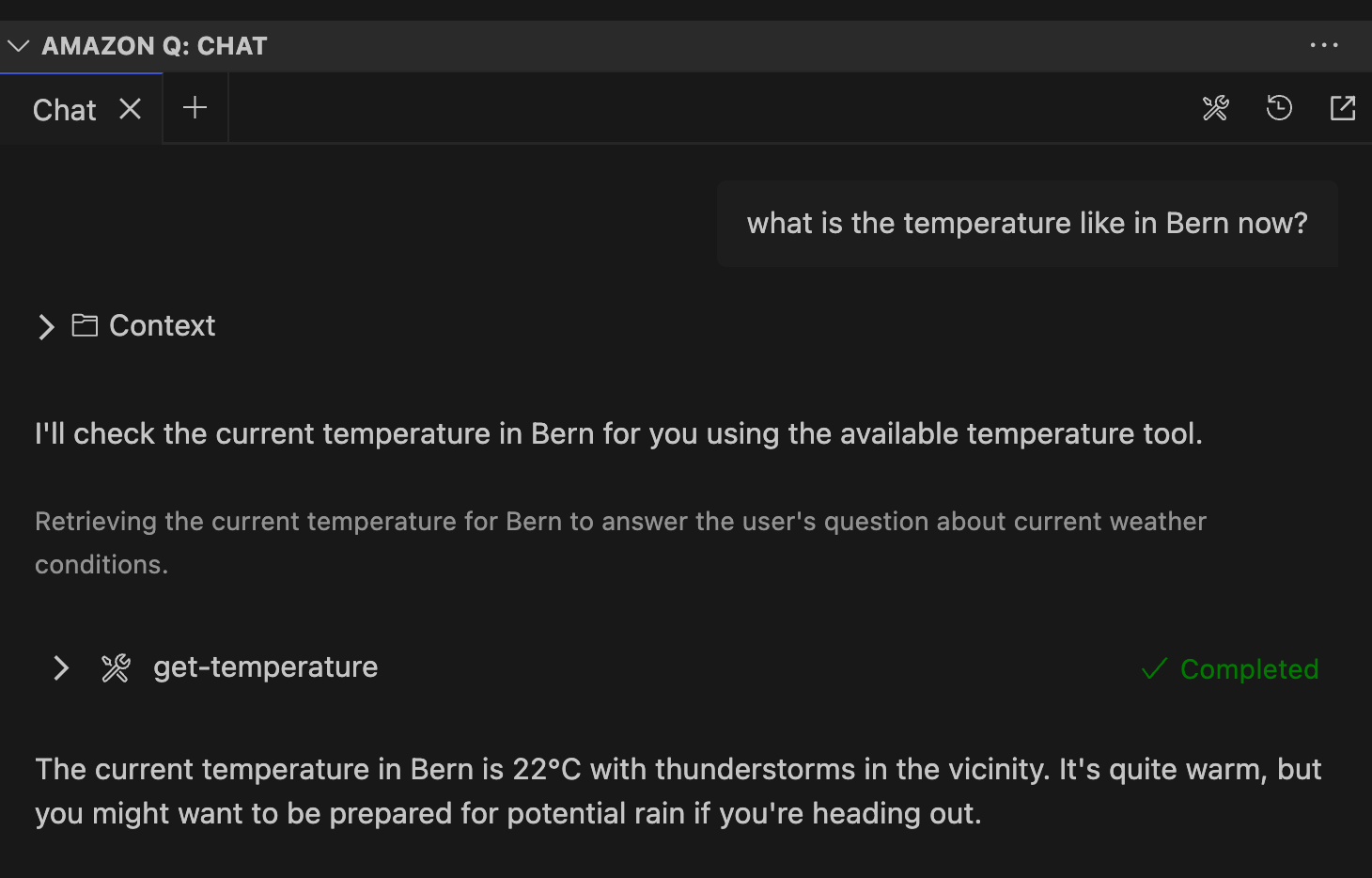
This is an experimental project to learn about MCP + GitHub Copilot, using the latter to create the MCP server code and then access it through the Chat funciton of copilot. I also managed to use the MCP server through Amazon Q chat (see further below).
Journey
- I prompted the goal as stated above for an initial pass.
- After
uvicornwas used wrongly in the.vscode/mcp.jsonconfig, which is for http endpoints, not forstdioones, debugging back and forth with copilot fixed the issue and I had a running MCP server scaffolded (that were unrelated to swiss meteo): - Availabilities:
- prompt to summarise text, which could either be detailed or brief (
/mcp.swiss-meteo-mcp.summarize-notes). - tool to add a note (
#add-note). - resource to list notes, not accessible explicitly (just implicitly) through copilot chat.
- prompt to summarise text, which could either be detailed or brief (
- One can see below that it works as expected, with autocompletion, after the server was started:
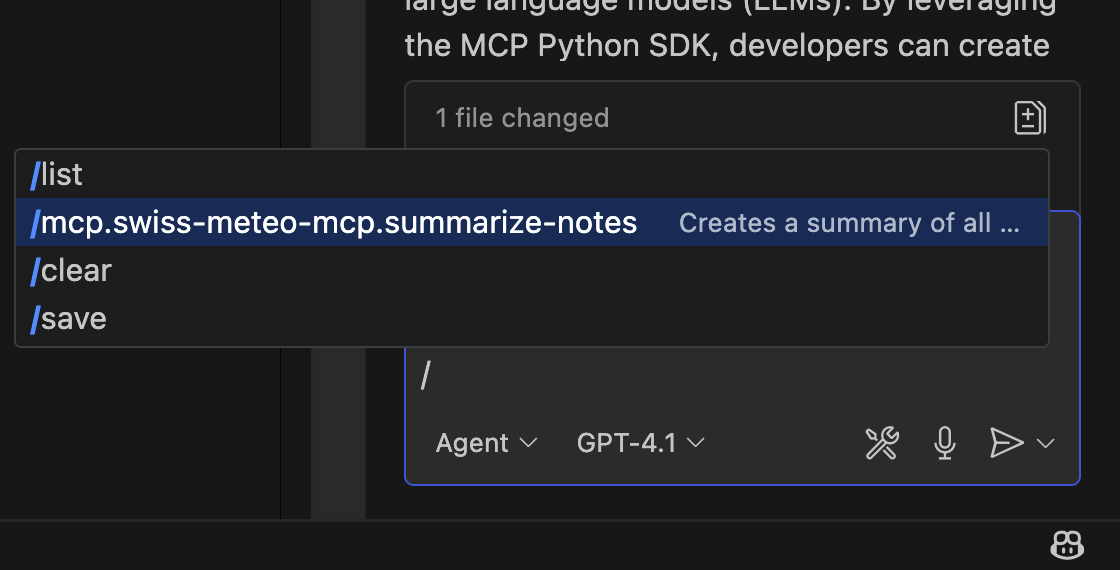
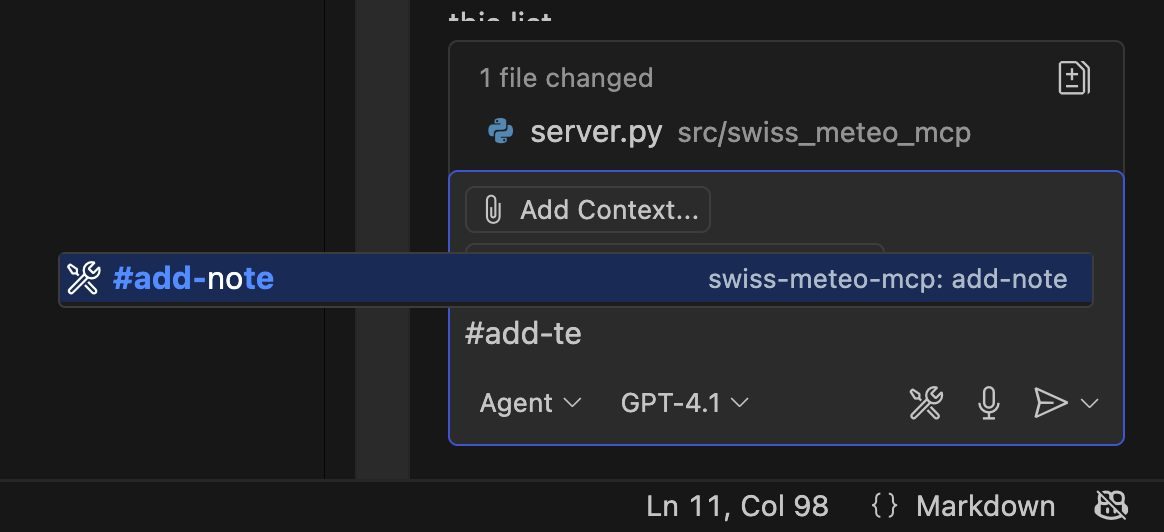
- I wanted to add a tool to get the current weather from swiss meteo (hence the name of the package), but there is no official API I found out with copilot chat.
- I then asked for a few alternatives and decided to go with
wttr.ioand let copilot implement it. - I also factored out some functionality so I could let copilot write a simple unit test that worked.
- So my own new tool is
#get-temperature
Lessons Learned
in general
-
Building an MPC server seems a standard task. GitHub Copilot managed kind of well, but not flawless.
-
Integration of mcp servers is working well with copilot it seems.
-
Invocation of tools and resources is possible implicitly or explicitly. When used, it is communicated transparently in the copilot chat.
-
MCP servers can run locally (with like
uv runor container isolation) or remotely. -
MCP prompts are really just parametrised snippets.
-
resources are read-only info.
-
tools are supposed to have side effects.
GitHub Copilot
- can also write git commit messages (not so impressive)
- used 20% of free code suggestions in one day (and might be used for retraining).
Amazon Q
- Can discover MCP server in
.vscode/mcp.jsonin own project, start it when a relevant question is asked in the Q chat and use the tool to answer the question, but using Python source package not MCP tool overstdio. - to use the mcp server outside the source repo, we had to put the
mcp.jsonfile into the amazon q global directory at~/.aws/amazonq/mcp/mcp.jsonand rename theservers:key tomcpServers:for Q to recognise it:
{
  "mcpServers": {
    "swiss-meteo-mcp3": {
      "type": "stdio",
      # not portable, most mcp servers use uvx run [pypiname.module@latest] to install on fly and run
      "command": "/Users/lorenz/git/swiss_meteo_mcp/.venv/bin/python",
      "args": [
        "-m",
        "swiss_meteo_mcp.server"
      ]
    }
  }
}
Other
- drag and drop screenshot into VS Code editor works well