
🦜🛠️ LangSmith MCP Server
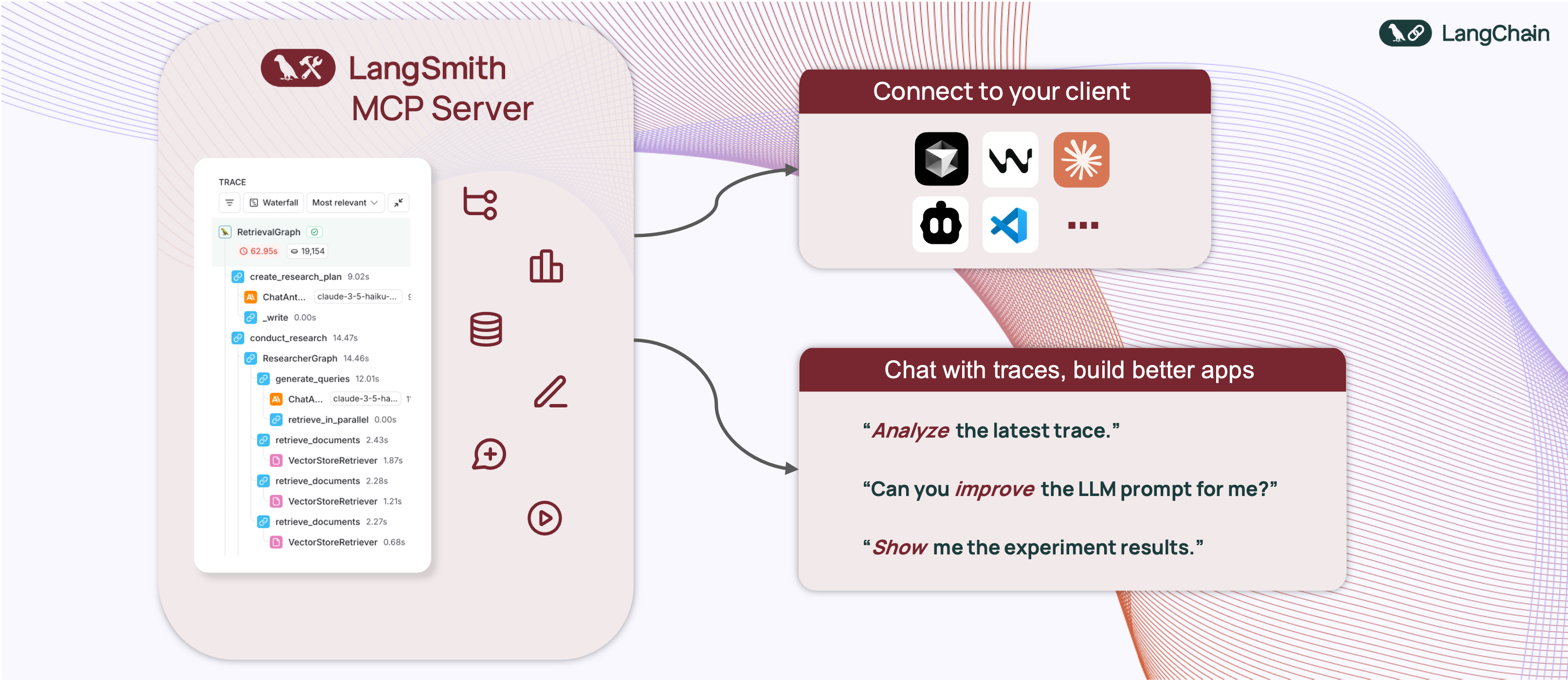


A production-ready Model Context Protocol (MCP) server that provides seamless integration with the LangSmith observability platform. This server enables language models to fetch conversation history and prompts from LangSmith.
📋 Overview
The LangSmith MCP Server bridges the gap between language models and the LangSmith platform, enabling advanced capabilities for conversation tracking, prompt management, and analytics integration.
🚀 Example Use Cases
The server enables powerful capabilities including:
- 💬 Conversation History: "Fetch the history of my conversation with the AI assistant from thread 'thread-123' in project 'my-chatbot'"
- 📚 Prompt Management: "Get all public prompts in my workspace"
- 🔍 Smart Search: "Find private prompts containing the word 'joke'"
- 📝 Template Access: "Pull the template for the 'legal-case-summarizer' prompt"
- 🔧 Configuration: "Get the system message from a specific prompt template"
🛠️ Available Tools
The LangSmith MCP Server provides the following tools for integration with LangSmith:
📚 Prompt Management
| Tool Name | Description |
|---|---|
list_prompts | Fetch prompts from LangSmith with optional filtering. Filter by visibility (public/private) and limit results. |
get_prompt_by_name | Get a specific prompt by its exact name, returning the prompt details and template. |
push_prompt | Documentation tool for understanding how to create and push prompts to LangSmith (documentation-only). |
🔍 Traces & Runs
| Tool Name | Description |
|---|---|
fetch_runs | Fetch LangSmith runs (traces, tools, chains, etc.) from one or more projects using flexible filters, query language expressions, and trace-level constraints. |
list_projects | List LangSmith projects with optional filtering and detail level control. Can return simplified or full project information. |
list_experiments | List LangSmith experiment projects (reference projects) with mandatory dataset filtering. Returns experiment information with key metrics (latency, cost, feedback stats). |
📊 Datasets & Examples
| Tool Name | Description |
|---|---|
list_datasets | Fetch LangSmith datasets with filtering options by ID, type, name, or metadata. |
list_examples | Fetch examples from a LangSmith dataset with advanced filtering options. |
read_dataset | Read a specific dataset from LangSmith using dataset ID or name. |
read_example | Read a specific example from LangSmith using the example ID and optional version information. |
create_dataset | Documentation tool for understanding how to create datasets in LangSmith (documentation-only). |
update_examples | Documentation tool for understanding how to update dataset examples in LangSmith (documentation-only). |
🧪 Experiments & Evaluations
| Tool Name | Description |
|---|---|
run_experiment | Documentation tool for understanding how to run experiments and evaluations in LangSmith (documentation-only). |
🛠️ Installation Options
📝 General Prerequisites
-
Install uv (a fast Python package installer and resolver):
curl -LsSf https://astral.sh/uv/install.sh | sh -
Clone this repository and navigate to the project directory:
git clone https://github.com/langchain-ai/langsmith-mcp-server.git
cd langsmith-mcp-server
🔌 MCP Client Integration
Once you have the LangSmith MCP Server, you can integrate it with various MCP-compatible clients. You have two installation options:
📦 From PyPI
-
Install the package:
uv run pip install --upgrade langsmith-mcp-server -
Add to your client MCP config:
{
    "mcpServers": {
        "LangSmith API MCP Server": {
            "command": "/path/to/uvx",
            "args": [
                "langsmith-mcp-server"
            ],
            "env": {
                "LANGSMITH_API_KEY": "your_langsmith_api_key",
                "LANGSMITH_WORKSPACE_ID": "your_workspace_id",
                "LANGSMITH_ENDPOINT": "https://api.smith.langchain.com"
            }
        }
    }
}
⚙️ From Source
Add the following configuration to your MCP client settings:
{
    "mcpServers": {
        "LangSmith API MCP Server": {
            "command": "/path/to/uv",
            "args": [
                "--directory",
                "/path/to/langsmith-mcp-server/langsmith_mcp_server",
                "run",
                "server.py"
            ],
            "env": {
                "LANGSMITH_API_KEY": "your_langsmith_api_key",
                "LANGSMITH_WORKSPACE_ID": "your_workspace_id",
                "LANGSMITH_ENDPOINT": "https://api.smith.langchain.com"
            }
        }
    }
}
Replace the following placeholders:
/path/to/uv: The absolute path to your uv installation (e.g.,/Users/username/.local/bin/uv). You can find it runningwhich uv./path/to/langsmith-mcp-server: The absolute path to your langsmith-mcp project directoryyour_langsmith_api_key: Your LangSmith API key (required)your_workspace_id: Your LangSmith workspace ID (optional, for API keys scoped to multiple workspaces)https://api.smith.langchain.com: The LangSmith API endpoint (optional, defaults to the standard endpoint)
Example configuration:
{
    "mcpServers": {
        "LangSmith API MCP Server": {
            "command": "/Users/mperini/.local/bin/uvx",
            "args": [
                "langsmith-mcp-server"
            ],
            "env": {
                "LANGSMITH_API_KEY": "lsv2_pt_1234",
                "LANGSMITH_WORKSPACE_ID": "your_workspace_id",
                "LANGSMITH_ENDPOINT": "https://api.smith.langchain.com"
            }
        }
    }
}
Copy this configuration in Cursor > MCP Settings.

🔧 Environment Variables
The LangSmith MCP Server supports the following environment variables:
| Variable | Required | Description | Example |
|---|---|---|---|
LANGSMITH_API_KEY | ✅ Yes | Your LangSmith API key for authentication | lsv2_pt_1234567890 |
LANGSMITH_WORKSPACE_ID | ❌ No | Workspace ID for API keys scoped to multiple workspaces | your_workspace_id |
LANGSMITH_ENDPOINT | ❌ No | Custom API endpoint URL (for self-hosted or EU region) | https://api.smith.langchain.com |
Notes:
- Only
LANGSMITH_API_KEYis required for basic functionality LANGSMITH_WORKSPACE_IDis useful when your API key has access to multiple workspacesLANGSMITH_ENDPOINTallows you to use custom endpoints for self-hosted LangSmith installations or the EU region
🐳 Docker Deployment (HTTP-Streamable)
The LangSmith MCP Server can be deployed as an HTTP server using Docker, enabling remote access via the HTTP-streamable protocol.
Building the Docker Image
docker build -t langsmith-mcp-server .
Running with Docker
docker run -p 8000:8000 langsmith-mcp-server
The API key is provided via the LANGSMITH-API-KEY header when connecting, so no environment variables are required for HTTP-streamable protocol.
Connecting with HTTP-Streamable Protocol
Once the Docker container is running, you can connect to it using the HTTP-streamable transport. The server accepts authentication via headers:
Required header:
LANGSMITH-API-KEY: Your LangSmith API key
Optional headers:
LANGSMITH-WORKSPACE-ID: Workspace ID for API keys scoped to multiple workspacesLANGSMITH-ENDPOINT: Custom endpoint URL (for self-hosted or EU region)
Example client configuration:
from mcp import ClientSession
from mcp.client.streamable_http import streamablehttp_client

headers = {
    "LANGSMITH-API-KEY": "lsv2_pt_your_api_key_here",
    # Optional:
    # "LANGSMITH-WORKSPACE-ID": "your_workspace_id",
    # "LANGSMITH-ENDPOINT": "https://api.smith.langchain.com",
}

async with streamablehttp_client("http://localhost:8000/mcp", headers=headers) as (read, write, _):
    async with ClientSession(read, write) as session:
        await session.initialize()
        # Use the session to call tools, list prompts, etc.
Cursor Integration
To add the LangSmith MCP Server to Cursor using HTTP-streamable protocol, add the following to your mcp.json configuration file:
{
  "mcpServers": {
    "HTTP-Streamable LangSmith MCP Server": {
      "url": "http://localhost:8000/mcp",
      "headers": {
        "LANGSMITH-API-KEY": "lsv2_pt_your_api_key_here"
      }
    }
  }
}
Optional headers:
{
  "mcpServers": {
    "HTTP-Streamable LangSmith MCP Server": {
      "url": "http://localhost:8000/mcp",
      "headers": {
        "LANGSMITH-API-KEY": "lsv2_pt_your_api_key_here",
        "LANGSMITH-WORKSPACE-ID": "your_workspace_id",
        "LANGSMITH-ENDPOINT": "https://api.smith.langchain.com"
      }
    }
  }
}
Make sure the server is running before connecting Cursor to it.
Health Check
The server provides a health check endpoint:
curl http://localhost:8000/health
This endpoint does not require authentication and returns "LangSmith MCP server is running" when the server is healthy.
🧪 Development and Contributing 🤝
If you want to develop or contribute to the LangSmith MCP Server, follow these steps:
-
Create a virtual environment and install dependencies:
uv sync -
To include test dependencies:
uv sync --group test -
View available MCP commands:
uvx langsmith-mcp-server -
For development, run the MCP inspector:
uv run mcp dev langsmith_mcp_server/server.py- This will start the MCP inspector on a network port
- Install any required libraries when prompted
- The MCP inspector will be available in your browser
- Set the
LANGSMITH_API_KEYenvironment variable in the inspector - Connect to the server
- Navigate to the "Tools" tab to see all available tools
-
Before submitting your changes, run the linting and formatting checks:
make lint
make format
📄 License
This project is distributed under the MIT License. For detailed terms and conditions, please refer to the LICENSE file.
Made with ❤️ by the LangChain Team