
Weather MCP Server
A complete Model Context Protocol (MCP) server that provides weather information through tools, resources, and prompts, designed for integration with Cursor IDE.
What is MCP (Model Context Protocol)?
MCP is a protocol that enables AI assistants (like Cursor) to connect to external data sources and tools. It allows AI models to:
- Call Tools: Execute functions to perform actions (e.g., fetch weather data, query databases)
- Read Resources: Access structured data from external sources (e.g., files, APIs, databases)
- Use Prompts: Leverage reusable prompt templates for consistent interactions
How MCP Works
┌─────────────┐         MCP Protocol         ┌──────────────┐
│   Cursor    │ ◄──────────────────────────► │  MCP Server  │
│     IDE     │     (stdin/stdout or HTTP)    │  (Python)    │
└─────────────┘                               └──────────────┘
      │                                              │
      │  Calls tools, reads resources,              │
      │  uses prompts                               │
      │                                              │
      └──────────────────────────────────────────────┘
                    External APIs/Data
The MCP server acts as a bridge between the AI assistant and external services, providing a standardized interface for accessing data and functionality.
Features
This Weather MCP Server provides:
Tools
get_current_weather(location: str)- Fetch current weather conditions for a locationget_weather_forecast(location: str, days: int)- Get multi-day weather forecastsearch_locations(query: str)- Search for location names
Resources
weather://current/{location}- Current weather data as a readable resourceweather://forecast/{location}- Forecast data as a readable resource
Prompts
analyze_weather- Template for analyzing weather patterns and conditionscompare_locations- Template for comparing weather between different locations
Setup
Prerequisites
- Python 3.12 or higher
uvpackage manager (or pip)
Installation
- Install dependencies:
uv sync
# or
pip install -r requirements.txt
-
Set up environment variables (optional, for real API):
Create a
.envfile in the project root:# .env WEATHER_API_KEY=your_api_key_hereGet a free API key from OpenWeatherMap
Note: If no API key is provided, the server will use mock data for demonstration purposes.
Running the Server
python main.py
The server will start and communicate via stdio (standard input/output), which is the standard transport for MCP servers in Cursor IDE.
Cursor IDE Integration
To use this MCP server in Cursor IDE:
- Open Cursor IDE settings (Cmd/Ctrl + ,)
- Navigate to Features → MCP Servers (or search for "MCP" in settings)
- Click Add Server or edit the MCP servers configuration
- Add the following configuration (update the path to match your project location):
{
  "mcpServers": {
    "weather": {
      "command": "uv",
      "args": [
        "run",
        "python",
        "/Users/pratik/weather/main.py"
      ],
      "env": {}
    }
  }
}
Important: Replace /Users/pratik/weather/main.py with the absolute path to your main.py file.
- Save the configuration
- Restart Cursor IDE
- The AI assistant can now use the weather tools, resources, and prompts!
Alternative: You can also copy the configuration from cursor_mcp_config.json and merge it into your Cursor settings.
Usage Examples
Once integrated with Cursor IDE, you can ask the AI assistant:
- "What's the weather in New York?"
- "Get a 5-day forecast for London"
- "Compare the weather in San Francisco and Seattle"
- "Search for locations matching 'Paris'"
The AI will automatically use the appropriate MCP tools, resources, or prompts to fulfill your request.
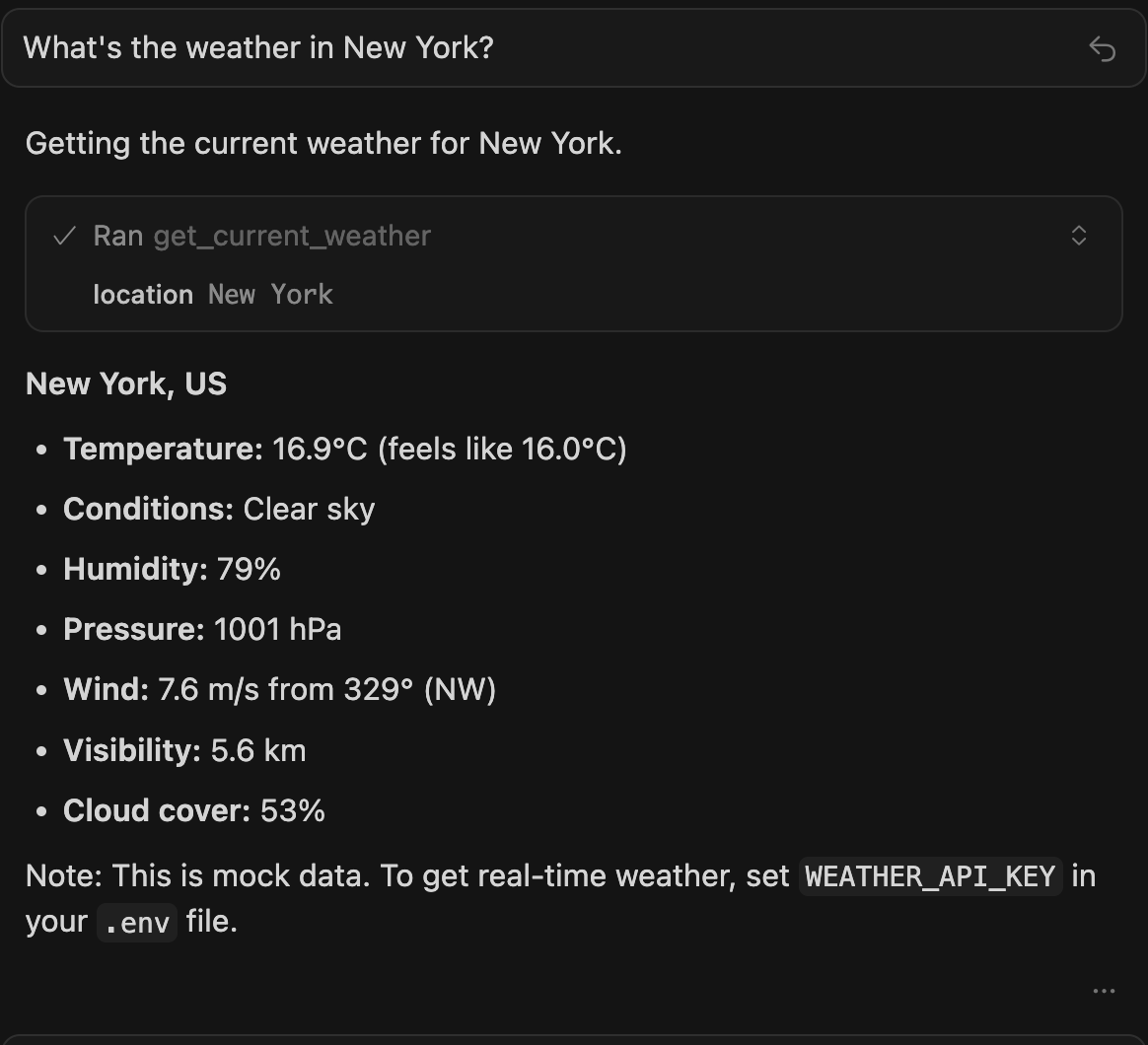
Example: Asking "What's the weather in New York?" in Cursor IDE with the Weather MCP Server
Architecture
┌─────────────┐
│   Cursor    │
│     IDE     │
└──────┬──────┘
       │ MCP Protocol
       │
┌──────▼──────────────────┐
│   MCP Weather Server    │
│  (main.py)              │
├─────────────────────────┤
│ • Tools                 │
│ • Resources             │
│ • Prompts               │
└──────┬──────────────────┘
       │
┌──────▼──────────┐
│ Weather API     │
│ (weather_api.py)│
└─────────────────┘
Development
Project Structure
weather/
├── main.py                 # MCP server implementation
├── weather_api.py          # Weather API client
├── pyproject.toml          # Dependencies
├── cursor_mcp_config.json  # Cursor IDE configuration
├── .env.example            # Environment template
└── README.md               # This file
Adding New Features
- New Tools: Add functions to the
toolslist inmain.py - New Resources: Add URI patterns to the
resourceslist inmain.py - New Prompts: Add prompt templates to the
promptslist inmain.py
License
MIT