
SNC Cribl MCP




A Model Context Protocol (MCP) server that provides tools for querying Cribl deployments.
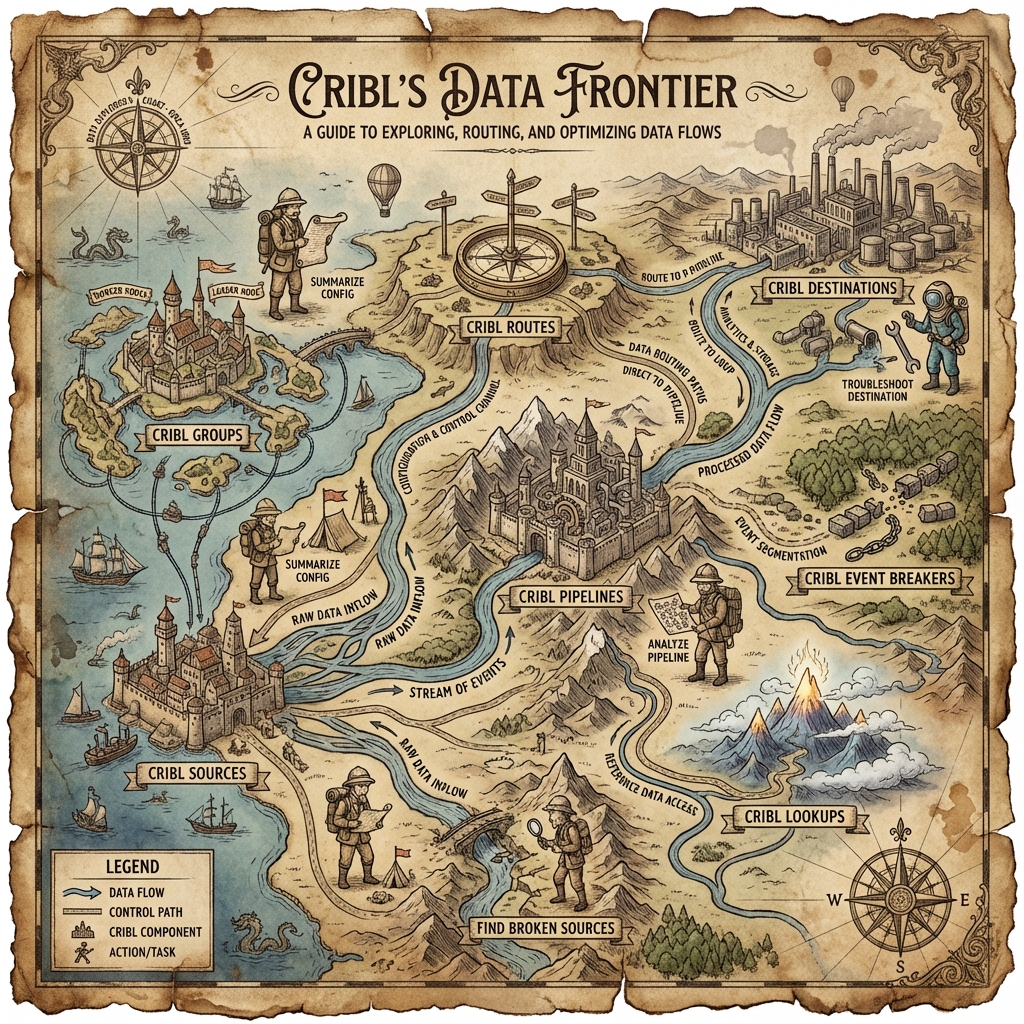
Table of Contents
- What It Does
- Features
- Installation
- Configuration
- Usage
- Project Structure
- Development
- Authentication
- Contributing
- License
- Support
What It Does
This MCP server connects to Cribl Stream and Edge deployments to retrieve metadata about worker groups, fleets, sources, destinations, pipelines, and routes. It's designed to work with customer-managed (on-premise) Cribl deployments and exposes structured data through MCP tools that can be consumed by AI assistants like Claude.
The server handles authentication with bearer tokens, manages token refresh automatically, and provides a clean JSON interface for exploring your Cribl infrastructure.
Features
- Comprehensive Discovery: List all worker groups (Stream) and fleets (Edge) in your deployment.
- Configuration Retrieval:
- Retrieve configured sources across all products and groups.
- Retrieve configured destinations across all products and groups.
- Retrieve configured pipelines across all products and groups, with full function configuration details.
- Retrieve configured routes across all products and groups.
- Retrieve configured event breakers across all products and groups.
- Retrieve configured lookups across all products and groups.
- Typed Pipeline Models: 41 Pydantic models for pipeline function configurations (eval, mask, sampling, regex_extract, etc.) with full type safety.
- Typed Collector Models: 9 Pydantic models for collector source configurations (S3, REST, database, Splunk, Azure Blob, GCS, filesystem, script, health check) with full type safety.
- Graceful Error Handling: SDK validation errors return structured, user-friendly responses with actionable guidance instead of crashing.
- Robust Authentication: Automatic token management and refresh for customer-managed deployments.
- FastMCP Integration: Built with FastMCP 2.0 for easy integration with Claude and other AI assistants.
- Quality Assurance: Comprehensive unit test coverage with full typing support.
Installation
Prerequisites:
- Python 3.14 or higher
- uv package manager (required)
- Access to a Cribl deployment with valid credentials
Steps:
# Clone the repository
git clone <repository-url>
cd snc_cribl_mcp

# Install dependencies using uv
uv sync
Configuration
Create a .env file in the project root with your Cribl deployment details:
CRIBL_SERVER_URL=http://localhost:19000
CRIBL_USERNAME=your_username
CRIBL_PASSWORD=your_password
CRIBL_VERIFY_SSL=true
LOG_LEVEL=INFO
CRIBL_TIMEOUT_MS=30000
Configuration Options:
| Variable | Description | Default | Required |
|---|---|---|---|
CRIBL_SERVER_URL | Base URL of your Cribl deployment | - | Yes |
CRIBL_USERNAME | Username for authentication | - | Yes* |
CRIBL_PASSWORD | Password for authentication | - | Yes* |
CRIBL_BEARER_TOKEN | Pre-existing bearer token | - | Yes* |
CRIBL_VERIFY_SSL | Verify SSL certificates | true | No |
LOG_LEVEL | Logging level (DEBUG, INFO, WARNING, ERROR) | INFO | No |
CRIBL_TIMEOUT_MS | API request timeout in milliseconds | 10000 | No |
*Either provide CRIBL_USERNAME and CRIBL_PASSWORD, or provide CRIBL_BEARER_TOKEN.
Usage
Running the MCP Server
Start the server directly:
uv run snc-cribl-mcp
Or using the Python module:
uv run python -m snc_cribl_mcp.server
Available MCP Tools
The server exposes seven MCP tools, and also mirrors the same data as MCP resources (e.g., cribl://groups, cribl://sources, cribl://destinations, cribl://pipelines, cribl://routes, cribl://breakers, cribl://lookups):
list_groups
Lists all Stream worker groups and Edge fleets from your Cribl deployment.
- Returns: JSON containing groups organized by product (Stream and Edge), with metadata including group IDs, names, descriptions, and configuration.
list_sources
Lists all configured sources across all groups and products, including both regular sources (from /system/inputs) and collector sources (from /lib/jobs).
- Returns: JSON containing sources organized by product and group, including source IDs, types, and configurations. Collector sources (S3, REST, database, etc.) are merged with regular sources per group.
list_destinations
Lists all configured destinations across all groups and products.
- Returns: JSON containing destinations organized by product and group, including destination IDs, types, and configurations.
list_pipelines
Lists all configured pipelines across all groups and products.
- Returns: JSON containing pipelines organized by product and group, including pipeline IDs, names, and configurations.
list_routes
Lists all configured routes across all groups and products.
- Returns: JSON containing routes organized by product and group, including route IDs, names, filters, destinations, and referenced pipelines.
list_breakers
Lists all configured event breakers across all groups and products.
- Returns: JSON containing event breakers organized by product and group, including ruleset IDs, rules, and configurations.
list_lookups
Lists all configured lookups across all groups and products.
- Returns: JSON containing lookups organized by product and group, including lookup IDs, file info, and configurations.
Example Integration with Claude
Add this server to your Claude desktop app configuration:
{
  "mcpServers": {
    "snc-cribl-mcp": {
      "command": "uv",
      "args": [
        "run",
        "--directory",
        "path-to-project-directory",
        "snc-cribl-mcp"
      ],
      "env": {
        "CRIBL_SERVER_URL": "http://localhost:19000",
        "CRIBL_USERNAME": "your_username",
        "CRIBL_PASSWORD": "your_password"
      }
    }
  }
}
Project Structure
snc_cribl_mcp/
├── src/snc_cribl_mcp/     # Main package (src-layout)
│   ├── client/           # Cribl client and token management
│   │   ├── cribl_client.py   # Control plane client factory
│   │   └── token_manager.py  # Bearer token lifecycle management
│   ├── models/           # Pydantic models for Cribl data structures
│   │   ├── collectors.py     # Typed models for 9 collector source types
│   │   └── pipeline_functions.py  # Typed models for 41 pipeline function types
│   ├── operations/       # Core business logic
│   │   ├── common.py         # Shared utilities and generic collectors
│   │   ├── groups.py         # Group collection and serialization
│   │   ├── sources.py        # Source collection helpers
│   │   ├── destinations.py   # Destination collection helpers
│   │   ├── pipelines.py      # Pipeline collection helpers
│   │   ├── routes.py         # Route collection helpers
│   │   ├── breakers.py       # Event breaker collection helpers
│   │   ├── lookups.py        # Lookup collection helpers
│   │   └── validation_errors.py  # SDK validation error handling
│   ├── tools/            # MCP tool registrations
│   │   ├── common.py         # Shared tool registration utilities
│   │   ├── list_groups.py
│   │   ├── list_sources.py
│   │   ├── list_destinations.py
│   │   ├── list_pipelines.py
│   │   ├── list_routes.py
│   │   ├── list_breakers.py
│   │   └── list_lookups.py
│   ├── config.py         # Configuration management
│   ├── prompts.py        # MCP prompt definitions
│   ├── resources.py      # MCP resource definitions
│   └── server.py         # FastMCP app entry point
├── tests/
│   └── unit/             # Unit tests with pytest
├── docs/                 # Additional documentation
├── pyproject.toml        # Project dependencies and tool config
└── .env                  # Local configuration (not committed)
Development
Running Tests
# Run all tests
uv run pytest

# Run with coverage
uv run pytest --cov=src/snc_cribl_mcp

# Run specific test file
uv run pytest tests/unit/test_server.py
Code Quality
# Type checking
uv run pyright

# Linting and formatting
uv run ruff check
uv run ruff format
Adding a New Tool
- Create the implementation logic in
src/snc_cribl_mcp/operations/. - Create a new tool file in
src/snc_cribl_mcp/tools/following the existing pattern. - Register the tool in
src/snc_cribl_mcp/server.pyin the_register_capabilities()function. - Add corresponding tests in
tests/unit/.
Authentication
This server uses bearer token authentication with the Cribl API. Tokens are retrieved automatically using your username and password, and the server handles token refresh internally.
For customer-managed deployments:
- Tokens expire based on your Cribl settings (default: 1 hour).
- The TokenManager automatically fetches new tokens when needed, using the JWT
expclaim when available and falling back to a conservative default. - For production use, configure TLS and use HTTPS.
See docs/cribl_api_auth.md for detailed authentication documentation.
Contributing
Contributions are welcome! Here's how to get started:
- Fork the repository.
- Create a feature branch (
git checkout -b feature/amazing-feature). - Make your changes and add tests.
- Run the test suite (
uv run pytest). - Run type checking and linting (
uv run pyright && uv run ruff check). - Commit your changes with a descriptive message.
- Push to your branch (
git push origin feature/amazing-feature). - Open a Pull Request.
Please ensure all tests pass and maintain code coverage before submitting a PR.
License
This project is licensed under the MIT No Attribution License (MIT-0). See the LICENSE file for details.
Support
For issues, questions, or feature requests, please open an issue in the repository.